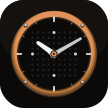
A clock in brass and phosphor, with no Material anywhere in it.
Basalt is the AOSP DeskClock rebuilt in Kotlin, wearing a face made of
milled brass and a dot-matrix readout. There is no
androidx.compose.material in the project — no MaterialTheme, no Scaffold, no
Material icons, no ripples. Every button, switch, stepper and letterform is
drawn by hand, so it reads as one machine rather than a theme applied to
someone else's.
Version
0.2.0
Platform
Android 10 and up
Licence
MIT
Network
Offline
Basalt never opens a connection. There is no permission for one
in the manifest. The weather and location that a later version may offer
alongside its widgets will be opt-in, off by default, and named here when
they exist.
MIT. AOSP DeskClock is a behavioural reference only — no AOSP source is copied in.
Why MIT?
Basalt is an independent reimplementation, not a fork. Nothing in
it is lifted from AOSP DeskClock; what is borrowed is the behaviour — the
semantics of alarm state machines, timer overrun, lap arithmetic and world
clock time zones — and behaviour is not copyrightable. So there is nothing
to keep open by obligation, and MIT is the honest label.
In 0.2.0 · August 2026
Seven palettes, and a test suite under the alarm engine.
Seven themes, chosen in Settings → THEME: Basalt, BREM, Copper, Latte,
Mocha, Quartz and Solar. The picker draws each one as a swatch in its
own colours, because "BREM" is not a colour anyone can picture from the
word.
Quartz is a genuine light theme rather than an inversion — the bezel's
specular edge moves from the top of a panel to the bottom, and the
system bar icons flip with it, or a raised panel would read as a
recessed one.
Every palette is contrast-checked by test, per role: 4.0:1 for text,
3.0:1 for accents. Writing that test found four tokens under the bar,
one of them in the default palette, where it had shipped in 0.1.0.
137 JVM unit tests, over next-occurrence walking, the repeat mask,
daylight saving in both directions, timer and stopwatch arithmetic
across process gaps, the glyph fold, and the alarm lifecycle decisions.
No device or emulator needed for any of them.
Room's destructive fallback is gone. The schema is exported and
committed, and a change with no matching migration throws on open
instead of quietly deleting your alarms.
Screens
What it looks like
The first seven are the six sections and the sound picker. The last
seven are the same clock screen in each of the seven palettes — which is the
only honest way to show a theme, since a list of seven words tells you
nothing.
The readout
Alarms, and the next one
Timers that run past zero
Laps, split and total
The night, as an arc
Seven swatches, seven palettes
Your files, or the phone's
Basalt
BREM
Copper, the default
Latte
Mocha
Quartz, a real light theme
Solar
Features
What it does
The metal is the chassis, the dots are the display
One rule shapes everything. Glyphs are always dots; chrome is always
metal; they never swap roles. The unlit cells behind a message are drawn
rather than skipped, because the dark grid is as much the look as the
message is.
Pick the part of the song that wakes you
Any system tone, or any MP3 or WAV through the document picker — and
then choose the section that plays. Set a start and an end, audition the
loop, and that exact stretch is what rings. The part worth waking up to
is almost never the first thirty seconds.
Seven palettes, and the roles hold
The token names are roles, not hues. Quartz's ink is a warm white
and its silverBright is nearly black, because ink means "the ground" and
silverBright means "the strongest mark you can make on it". Nothing in
the drawing code may assume a token is dark.
The icon tells the time
The launcher icon is not a picture of a clock — it is one. The hour
and minute hands are separate layers, and Launcher3 and its descendants
rotate them as the clock advances. The second hand deliberately does not
move: waking the launcher every second for a detail nobody reads at icon
size is not a feature.
Nothing counts down in a process
A running timer is a deadline plus a notification, and the system
owns both. AlarmManager wakes the app at the deadline; the
notification's own chronometer draws the count with no process alive. A
service ticking once a second to update a number the system can draw
itself is pure battery cost — and it gets killed anyway.
Time is injected, and decisions are separated from effects
Nothing below the UI calls the system clock at a call site.
AlarmTransitions is pure, so "what happens to a repeating alarm once
this morning is over" can be tested without a device — which is exactly
the part that is tangled enough to get wrong.
Limits
What it does not do yet
Said here rather than discovered later. Everything below is known,
deliberate, and on the list.
The Doze story is implemented and verified on one device, not proven. It
has not had enough overnight soak time across enough phones and OEM skins
to call it done, and that box stays unticked until it has.
The world clock has its city dataset but not its screen yet.
Widgets — the actual reason the project exists — are 0.3.0. The plan is a
modular renderer where a new style is a configuration rather than a
rewrite, not one big clock and a shrug.
The hero and micro glyph sets, per-cell digit animation and custom clock
faces are all still to come.